
A calm, safe walkthrough of common reasons a refrigerator stops cooling — and when to call a technician.
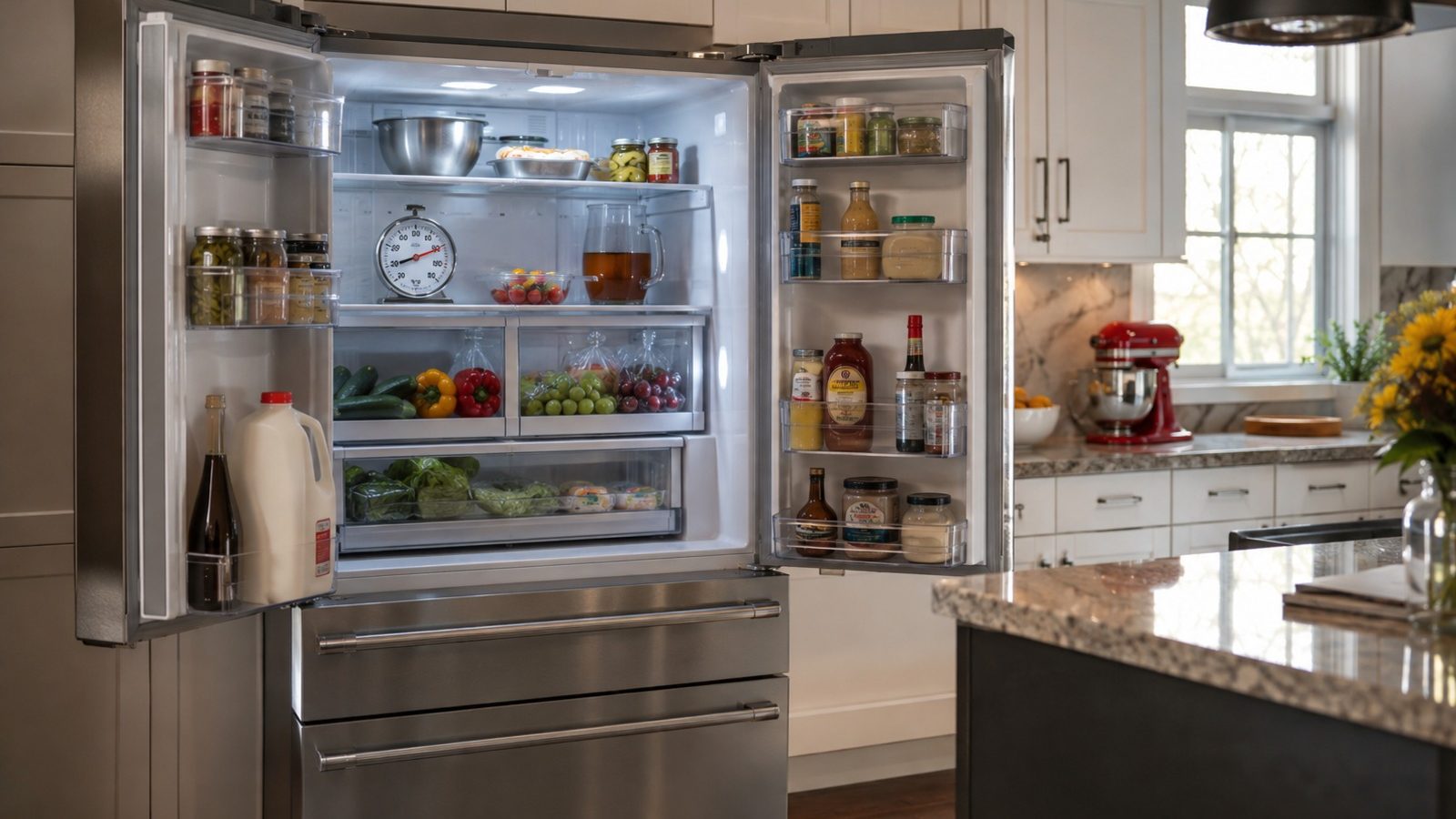
A KitchenAid refrigerator that is not cooling is worth sorting by pattern: both sections warm, only the fresh-food side warm, or the freezer too cold. Check the controls, door closure, vents, and recent loading first. If both sections stay warm after that, or food is spoiling, book a diagnosis.
When a refrigerator stops cooling the way it should, the whole household routine gets thrown off. Pinning a failed part on one symptom is guesswork. Begin instead with observations that carry no risk, can be repeated, and would be handy to a technician at a later visit.
Routine upkeep and work that calls for testing or taking the unit apart are two separate categories. Never defeat a lock, a safety switch or an error message just to get another run out of the appliance. Notes taken now make a later diagnosis quicker and more precise.
Make sure the temperature controls have not been turned warmer, both doors shut all the way, and no food is covering the vents inside. Do the check with the unit left in place and without forcing any panel, fitting or control. If a small adjustment changes the result, let it run normally for a while before deciding what it means.
A cold freezer paired with a warm fresh-food section is worth noting, because it can point to an airflow or defrost problem. Also watch for a pattern: does it happen every time, only with a certain load or setting, or once the unit has been on for a while? That detail tells a technician more than restarting the refrigerator over and over, and the cold-freezer, warm-refrigerator combination is the one to report.
| Symptom | Probable cause | Check you can make |
|---|---|---|
| Refrigerator section warm | Obstructed air movement | Move items away from interior vents |
| Both sections warm | Power supply or sealed-system trouble | Confirm the outlet and the control settings |
| Frost accumulating | Restricted airflow | Make sure the doors seal and close fully |
Guidance for some models says to change the temperature setting one increment at a time and give the cabinet time to settle, and notes that a colder setting does not make it cool faster. Warm groceries and overfilled shelves reduce cooling, and the temperature can take several hours to stabilize after loading.
Blocked freezer vents can trap cold air in the freezer, leaving the fresh-food section warm, and frost can block vents and coils. An ice maker left switched on without a water line can leave the unit too cold and the crisper food frozen, so a cold problem and a warm problem can both come from the same causes.
Use-and-care guides document the controls, filter access and service intervals for each specific model, so check yours first. Clean only parts it lists as owner-serviceable, with the products it suggests, and return every removable piece to the position it was designed for.
Before running it again, take out whatever is in the way, lessen a load that is unusually heavy, and verify that nothing is choking off air, water or the door’s clearance. Resetting over and over is a poor habit because it can mask a fault that comes and goes, and it may leave water, heat or pressure sitting somewhere unintended.
Fine to attempt
For a technician only
Some models show a Power Outage alert when the freezer warmed during an outage, and some need a manual restart after an outage or surge. Keep the doors closed during an outage, as guidance says, and check the manual for the restart step.
What the checks tell you is limited. A refrigerator that cools after the vents are cleared or the doors close properly had an external cause. One that stays warm with clear vents, closed doors, and correct settings needs a technician with test equipment, and the sealed system, compressor wiring, and fans are not owner work.
If both sections stay warm after the control, door, vent and loading checks, or food is spoiling, book a diagnosis.
Owner work ends when basic checks leave the symptom unchanged. Wiring inside the unit, refrigerant lines, gas connections, control boards, heating circuits, pumps and motors all call for proper test equipment and a technician in a position to confirm the work is safe.
Call for service early if output keeps slipping, a breaker trips, liquid gets near electrical parts, you smell something hot or burnt, a new grinding sound begins, or a regular cycle will not finish. When a safety warning is displayed, leave the appliance off.
Give the technician the model number, the precise symptom, the start date of the problem, the settings in use, and what the safe checks above turned up. A picture of a displayed code or a quick description of a sound is useful too, but no cover should ever come off to get one.
Paying close attention is no repair in itself, but it is where every sensible fix starts. Rule out the easy causes, save any error details the display gave you, and leave electrical, gas, sealed-system and internal mechanical jobs with a qualified appliance technician.
Blocked vents or frost can keep cold air in the freezer. Clear the vents and check door closure, and report the pattern if it continues.
No. Guidance says a colder setting does not cool faster, so change one step and wait.
Keep the doors closed and protect perishables. If the unit stays warm, move food to a working refrigerator and book a visit.
Need help now? Visit our services page or contact us.
Official manuals and support notes are available on KitchenAid owner support.
Before any part is ordered, note the complete model number: the right part number can vary with board and sensor revisions.
Switching power off for the documented interval and back on can sometimes clear a temporary fault, but a code that returns after that usually has a physical cause behind it.
Between service visits, leave vents and filters unobstructed. Limited airflow can look just like an electrical or sensor failure.
Water where it should not be, a burning smell or sparks mean the appliance should stop running until a professional has inspected it.
Confirm that the controls have not been set warmer, the doors close fully, and food is not blocking interior air vents.
Only if there is no burning smell, smoke, sparking, gas odor, water near electricity, or other safety warning. Otherwise stop and arrange service.
Flame color and shape changes on gas cooktops can signal cleaning needs or a supply issue…
Large cavities and hidden elements can make preheat feel slow — learn what is normal and…
Musty or food smells usually come from filters, standing water, or loading habits — not a…
Share a few details and we’ll confirm an appointment. Prefer to talk? Call us and we’ll help right away.
Fields marked with * are required.