
A motor that hums without turning the beater usually points to a gear or attachment issue, not a dead motor.
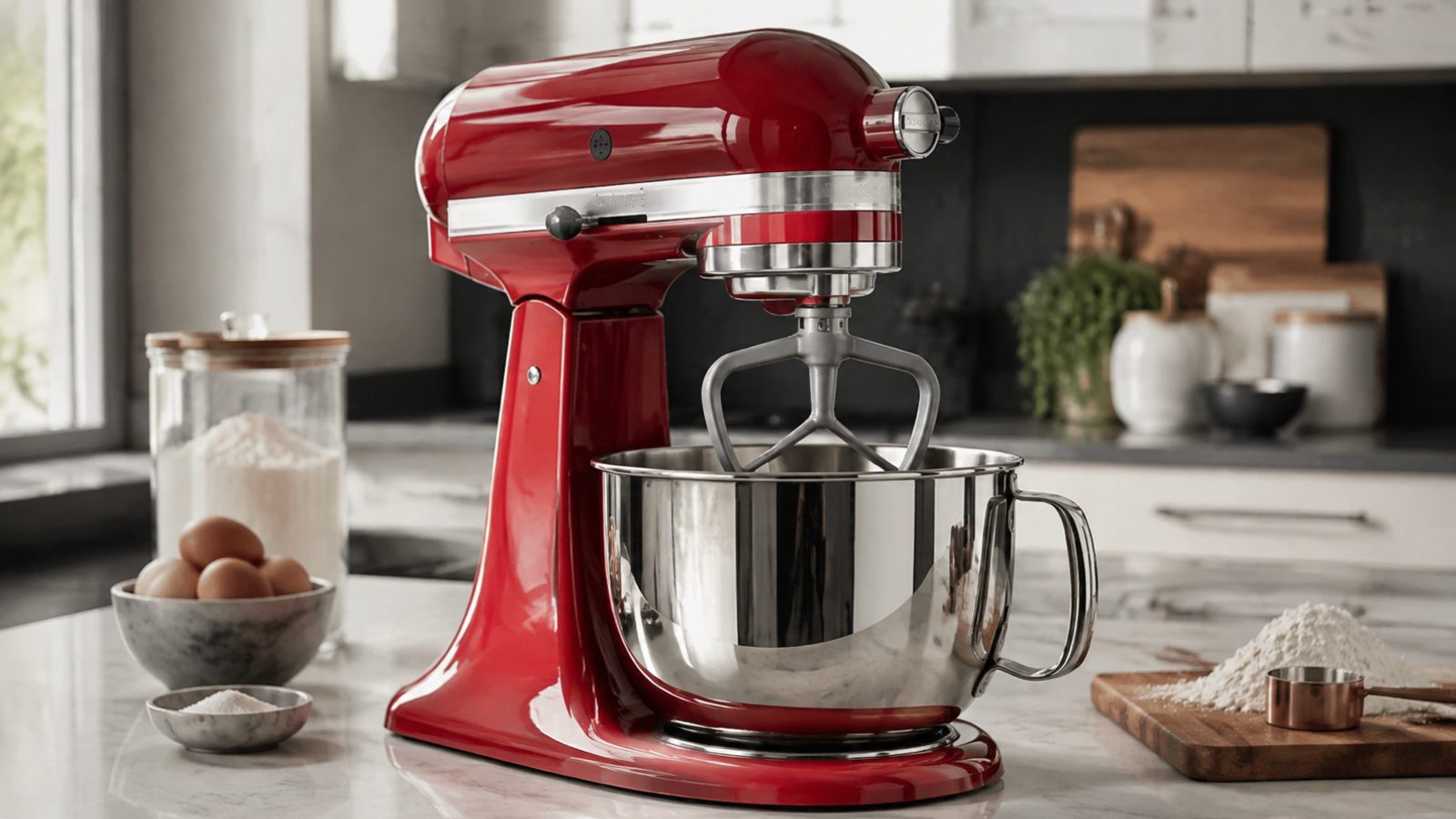
A stand mixer that hums but does not mix is either overloaded, not fully engaged, or has a mechanical fault in the gear train. Remove the bowl and see whether the hum continues, reduce a heavy batch, and reseat the attachment. A hum with an empty hub, or one that follows a hard object falling into the bowl, calls for service rather than more attempts.
A KitchenAid stand mixer that hums while nothing mixes puts a stop to baking plans. The symptom itself cannot name a failed part, so begin with observations that are safe, easy to repeat and handy if you later book a repair visit.
Routine upkeep and jobs requiring testing or disassembly belong in separate categories. Do not defeat a cutout or a fault indication just to keep the mixer going. Notes jotted down now make a later diagnosis quicker and more accurate.
Check that the bowl and beater are locked in all the way, cut back a very thick or oversized batch, and listen to see whether the hum shifts when you change attachments. Keep the mixer in its normal position and force nothing. If a small adjustment changes the outcome, run one normal mix before concluding. Move the lever one speed at a time and let the beater catch before judging it.
A hum that carries on with the bowl taken off often points to a gear or motor problem inside, whereas one that fades once the load is lightened may simply mean the mixture was too heavy. Try to spot a pattern: every use, only with one attachment or recipe, or only after the mixer has run a while. That helps more than switching it on again and again.
| Symptom | Likely cause | Safe check |
|---|---|---|
| Hums with bowl removed | Internal gear or motor | Book diagnosis |
| Hums only on thick dough | Overloaded mixture | Reduce batch size |
| Hums after attachment swap | Hub engagement | Reseat attachment |
KitchenAid mixers use a Soft Start feature, which causes a brief hesitation when you move the speed lever. That pause is not a fault. Lift the speed lever slightly while moving it, as the support page describes, and avoid snapping it between speeds.
A hum before the beater begins to turn, which then turns normally, is typically just that start-up behavior.
Controls, attachments and care intervals for your model are covered in the use-and-care manual. Clean only the parts it names as user-serviceable, use the cleaners it recommends, and put every removable part back as designed.
Prior to the next batch, take out anything lodged in the bowl or attachment, lighten an unusually heavy mixture and be sure nothing restricts airflow around the motor head. Resetting over and over is best avoided, as it can hide an intermittent fault and leave heat building where it should not.
Safe to try
Leave to a technician
KitchenAid advises that yeast dough should not be mixed above Speed 2, since stiff dough demands more from the motor and gears. Heavier mixtures are the likeliest cause of a stall during a bake day.
Many mixers have thermal overload protection, which stops the motor when it overheats. KitchenAid support suggests unplugging the mixer and letting it cool for a while before trying again. If a hard object such as a utensil or a bit of metal has fallen into the bowl, support guidance links a hum without a turning beater to stripped gear teeth, which needs service.
A hum with an empty hub, or one that follows a hard object falling into the bowl, calls for service rather than more attempts.
When the basic checks leave the hum unchanged, owner-level work ends. The gear train, motor windings, wiring and control parts in the mixer head, like refrigerant lines or gas connections in other appliances, need proper instruments and a technician trained to confirm the repair is safe.
Arrange service quickly if the problem is getting worse, the breaker trips, water collects near electrical parts, there is a scorched or hot odor, a new grinding noise starts, or it can no longer complete a normal mix. A unit that stalls or gives a warning should not keep running.
Provide the model number, the exact symptom, the date it began, which speeds and attachments were in use and what each check above revealed. A photo of a marking or a short description of the sound helps, but never open the housing to get it.
Careful watching will not repair a mixer, but it is the right first step. Handle the simple conditions, keep the details you notice, and pass electrical, gas, sealed-system and deeper mechanical jobs to a qualified appliance technician.
It may be protecting the motor from overheating. Unplug it and let it cool, then try a smaller batch. If it hums again when empty, book a diagnosis.
KitchenAid support describes oil separating from the grease as normal. Running the mixer periodically and storing it upright is the recommended care.
No. Continuing to run a stalled motor can add heat and damage. Stop and have it checked.
Need help now? Visit our services page or contact us.
Official manuals and support notes are available on KitchenAid owner support.
Record the complete model number before ordering parts, because production revisions can change which part number fits.
Unplugging once can clear a passing fault, but a problem that keeps returning usually has a physical cause.
Keep the vents on the mixer head clear between visits; blocked airflow adds heat and can look like an electrical failure.
Should water appear, or a smell of burning or sparks, unplug the mixer and have a professional inspect it.
Confirm the bowl and beater are fully locked into place, reduce an overly thick or oversized batch, and listen for whether the hum changes when you switch attachments.
Only if there is no burning smell, smoke, sparking, gas odor, water near electricity, or other safety warning. Otherwise stop and arrange service.
Flame color and shape changes on gas cooktops can signal cleaning needs or a supply issue…
Large cavities and hidden elements can make preheat feel slow — learn what is normal and…
Musty or food smells usually come from filters, standing water, or loading habits — not a…
Share a few details and we’ll confirm an appointment. Prefer to talk? Call us and we’ll help right away.
Fields marked with * are required.