
Long drying times often trace back to restricted airflow. Start with these safe checks.
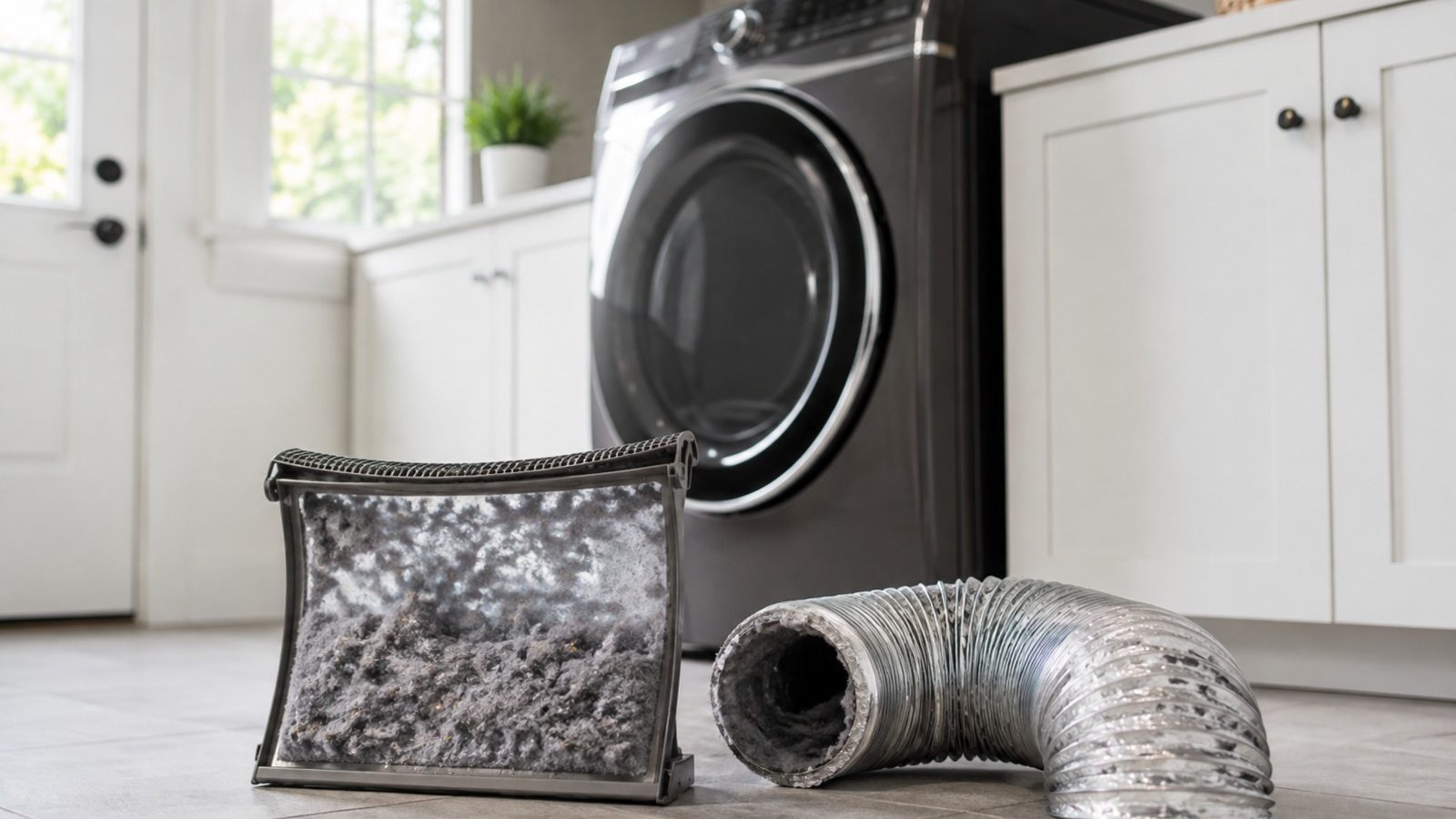
When a dryer takes too long, the first thing to look at is airflow: a lint screen cleaned every load, a drum that is not overloaded, and a visible vent hose that is not crushed. If clothes come out hot but damp, moist air is probably not leaving, and if there is no heat at all the problem sits inside the dryer. A burning smell means stop and book service.
Clothes that need a second cycle to dry cost time and energy and disrupt laundry day. Slow drying alone does not reveal which part is failing; stick to observations that are safe and repeatable and that a technician can use later.
Homeowner upkeep should be kept apart from repairs that require testing or disassembly. Do not override a lock, a safety switch or a warning message in order to keep the machine operating. Taking notes now means a later diagnosis can move faster and reach a more accurate result.
Empty the lint screen, take some laundry out of an overstuffed drum, and look at the visible vent hose for crushing or sharp bends. Leave the dryer in its normal position and do not force panels, fittings or controls. If a simple change affects the result, run one normal cycle before drawing a conclusion.
Drying that drags on, laundry that comes out hotter than usual, and a weak flap on the outside vent all suggest moist air is not getting out well. Look for a pattern too: does it happen every time, only with a particular load or setting, or after the dryer has run a while? That outweighs restarting it again and again. Big loads of towels or bedding can lengthen a cycle even when the dryer works fine, so compare a small test load with your usual one.
| Symptom | Probable cause | Check you can make |
|---|---|---|
| Takes two cycles | Lint is restricting airflow | Clean the screen |
| Laundry comes out hot | Vent is restricted | Look at the hose you can see |
| Runs without heat | Part inside the dryer | Stop and book service |
The older KitchenAid dryer manual lists several causes beyond the vent. A lint-blocked screen lengthens drying, and so does residue left on the screen by fabric softener or detergent. Low supply voltage and a cold room are also named, and none of those is a failed part. Because the manual is for specific models, check yours for the list that applies.
Electric dryers also draw on two breakers or fuses, and the manual notes that when one trips the drum can still turn while giving no heat. That symptom looks like a dryer fault, but the breaker panel is where the check starts, and it stays outside the cabinet.
Check the use-and-care manual before touching anything model-specific: controls, filter access and recommended intervals are all covered there. Clean only what it calls user-serviceable, with its recommended products, and return every removable part to its designed seat.
Get rid of blockages, reduce a load that is heavier than normal, and check air, water and door clearance before starting anything else. Hitting reset repeatedly may hide an intermittent fault and can strand water, heat or pressure in the wrong place.
Fine to attempt
For a technician only
Hot laundry that stays damp suggests the dryer is heating while the moist air is stuck. Cool laundry after a full cycle suggests heat is missing, which fits the breaker case or an internal component. Describing which one you see is a stronger clue than reporting that the dryer is slow.
One manual describes feeling for airflow at the exterior hood after the dryer has run for several minutes, which separates a vent restriction from other causes. A weak flow there points to the duct and not to the heating parts. Cleaning a long or hidden duct is not a quick fix, so follow the manual’s guidance on schedule and access.
Hot clothes that stay damp suggest moist air is stuck in the drum. Cool laundry after a full cycle points to missing heat inside the dryer.
Past the point where simple checks make a difference, the job belongs to a technician. Gas connections, control boards, motors, pumps, refrigerant lines, internal wiring and heating circuits demand the right test equipment and a safe, verified repair.
Prompt service makes sense if the appliance trips a breaker or leaks near electrical parts, smells burnt or overheated, grinds in a way it never did, performs worse each time, or stops short of completing a normal cycle. Any safety warning means the unit should be left off.
Provide the model number, a precise account of the symptom, the date it started, the selected settings and each result from the safe checks above. Photos of codes and short descriptions of sounds help too, as long as no cover is removed.
No amount of careful watching replaces a repair, but it is the right place to start. Sort out the simple conditions, keep any error information worth having, and let a qualified appliance technician deal with electrical, gas, sealed-system and internal mechanical work.
Moist air that cannot leave, a restricted screen, or missing heat can all do this. Clean the screen, check the visible vent hose, and note whether the clothes come out hot or cool.
On electric dryers that use two breakers or fuses, the manual says one tripping can leave the drum turning with no heat. Reset only what is simple to reach and book service if it trips again.
After every load. A screen with a film from fabric softener should also be washed as the manual describes, because the film can restrict airflow even when no lint is visible.
Need help now? Visit our services page or contact us.
Official manuals and support notes are available on KitchenAid owner support.
Record every character of the model number before purchasing a part; the correct part number may differ between board and sensor revisions.
Turning power off and on a single time may clear a temporary error; if that same code recurs, the cause is usually physical and still there.
In the gaps between visits, don’t let vents or filters clog. Reduced airflow can resemble faulty electrics or a bad sensor.
Stop running the appliance at the first sign of water, a burning smell or sparks, and arrange a professional inspection.
Clean the lint screen, reduce an overloaded drum, and inspect the visible vent hose for crushing or sharp kinks.
Only if there is no burning smell, smoke, sparking, gas odor, water near electricity, or other safety warning. Otherwise stop and arrange service.
Flame color and shape changes on gas cooktops can signal cleaning needs or a supply issue…
Large cavities and hidden elements can make preheat feel slow — learn what is normal and…
Musty or food smells usually come from filters, standing water, or loading habits — not a…
Share a few details and we’ll confirm an appointment. Prefer to talk? Call us and we’ll help right away.
Fields marked with * are required.